

As an Amazon Associate I earn from qualifying purchases.
A house full of smart plugs, bulbs, cameras and speakers asks more of Wi-Fi than a few phones ever did. The best mesh WiFi for smart home use covers every corner, including the garage and the back porch, handles dozens of small devices without dropping them, and ideally doubles as the hub for Thread, Zigbee or Matter gear.
We compared six mesh systems on exactly those points, using each maker’s published specs. If your devices already keep going offline, start with our guide to fixing smart devices that keep disconnecting from Wi-Fi, then come back here if the answer turns out to be better coverage.
| Product | Best for | Our rating | |
|---|---|---|---|
 eero Pro 7 | Best overallTri-band Wi-Fi 7 with a built-in Thread and Zigbee hub | ★★★★½ 4.5/5 | Check price |
 eero 6+ | Budget smart home hubWi-Fi 6 plus a Thread, Zigbee and Matter hub with Alexa | ★★★★½ 4.5/5 | Check price |
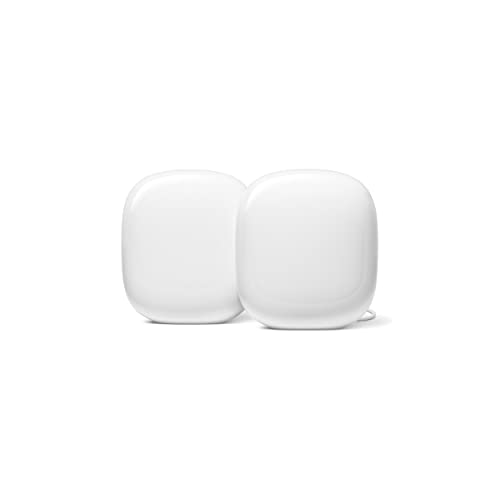 Google Nest Wifi Pro | Best for Google HomeWi-Fi 6E with a Thread border router and Matter support | ★★★★☆ 4/5 | Check price |
 TP-Link Deco X55 | Best valueWi-Fi 6 for 6,500 sq ft with a separate IoT network | ★★★★☆ 4/5 | Check price |
 NETGEAR Orbi 770 | Best for large homesTri-band Wi-Fi 7 for up to 8,000 sq ft plus an IoT network | ★★★★☆ 4/5 | Check price |
 TP-Link Deco BE63 | Best for crowded networksTri-band Wi-Fi 7 rated for up to 200 devices | ★★★★☆ 4/5 | Check price |
How we picked the best mesh WiFi for smart home use
Every system here is a true mesh kit: several units that share one network name and hand devices between them. We read each maker’s spec page and weighed the details that matter most when most of your connected devices are small, low-power gadgets rather than laptops. We did not run lab tests, so we stick to what the specs say.
The star ratings are our own editorial scores for how well each system fits a busy smart home.
1. eero Pro 7: best overall for smart homes
eero Pro 7
Wi-Fi 7 and a built-in smart home hub in one system
Tri-band Wi-Fi 7 with Thread and Zigbee built in, Matter as a controller, and room for 200+ devices on each unit.
The eero Pro 7 is the strongest all-round pick when your smart home is growing. eero lists it as tri-band Wi-Fi 7, with 2.4, 5 and 6 GHz radios. Each unit is rated for 2,000 square feet and 200+ devices, so a three-pack leaves plenty of headroom for plugs, bulbs and cameras.
The smart home side is what sets it apart. eero’s eero Pro 7 spec page lists a built-in hub for Thread and Zigbee devices, plus Matter as a controller only. In practice that means Thread sensors and Zigbee bulbs can pair through the router instead of a separate hub. It is also backward compatible with older eero units.
The drawback is cost: this is the priciest eero on our list, and households with fewer than 30 devices won’t use most of what it offers.
2. eero 6+: best budget smart home hub
eero 6+
eero's smart home hub features at a friendlier price
Wi-Fi 6 mesh that controls Thread, Zigbee and Matter devices with Alexa, with about 1,500 square feet of coverage per unit.
The eero 6+ brings most of eero’s smart home features at a lower price. According to the eero 6+ product page, it is a Wi-Fi 6 system that acts as a smart home hub for Thread, Zigbee and Matter devices with Alexa. Each unit covers 1,500 square feet, so the three-pack covers about 4,500 square feet.
That makes it a natural fit for an Alexa home. Pair Zigbee bulbs or Thread sensors through the network, then control them by voice. Each unit supports 75+ devices and has two 1 GbE ports, enough for a wired TV or a hub that still needs Ethernet.
The drawback is speed. It tops out around a gigabit, and there is no 6 GHz band, so it is not the pick for multi-gig internet plans.
3. Google Nest Wifi Pro: best for Google Home
Google Nest Wifi Pro
A Thread border router that lives in your Google Home app
Tri-band Wi-Fi 6E across 2.4, 5 and 6 GHz, Matter support, and two Ethernet ports on every router.
If your home runs on Google Home and Nest speakers, Nest Wifi Pro is the easy match. Google’s Nest Wifi Pro tech specs list tri-band Wi-Fi 6E across 2.4, 5 and 6 GHz, a Thread border router, and Matter support. Each router has two 1 Gbps Ethernet ports.
The Thread border router is the key detail. Thread sensors, locks and buttons that use Matter can join through the router itself, without a separate Nest Hub. Setup and management happen in the Google Home app, next to the rest of your devices.
The drawback is that it lacks a Zigbee radio, and the Ethernet ports are gigabit, not multi-gig.
4. TP-Link Deco X55: best value with an IoT network
TP-Link Deco X55
Whole-home Wi-Fi 6 with a separate network for smart gadgets
Three units cover up to 6,500 square feet and 150+ devices, with IoT device isolation and three Gigabit ports per unit.
The Deco X55 is the value pick for homes that want solid coverage without a hub built in. TP-Link’s Deco X55 page rates the three-pack for 6,500 square feet and over 150 devices, on dual-band Wi-Fi 6. Each unit has three Gigabit ports.
For smart homes, the useful features are an IoT network with device isolation, which keeps plugs and cameras on their own network, and quick onboarding for TP-Link’s Tapo and Kasa devices. It also pairs with Alexa for voice commands. HomeShield’s basic plan is free, and TP-Link charges for the Pro plan.
The drawback: TP-Link lists no Thread, Zigbee or Matter hub for this model, so you still need a separate hub for those devices.
5. NETGEAR Orbi 770: best for large homes
NETGEAR Orbi 770
Tri-band Wi-Fi 7 that reaches the garage and the backyard
Router plus two satellites rated for up to 8,000 square feet, with a dedicated IoT network and 2.5 Gig ports.
Big houses with detached garages and long yards are where the Orbi 770 makes sense. NETGEAR’s Orbi 770 spec page rates the three-pack for up to 8,000 square feet, about 2,500 per unit, on tri-band Wi-Fi 7. The router has 2.5 Gig ports, and each satellite has two.
Orbi gives you a separate IoT network alongside the main and guest networks, so cameras and plugs stay apart from laptops and phones. NETGEAR lists support for up to 100 concurrent devices. Its Armor security service includes a free trial, then becomes an optional paid subscription.
The drawbacks: NETGEAR doesn’t list Matter or Thread, and 100 devices is a lower ceiling than eero or Deco quote, which matters in a heavily automated home.
6. TP-Link Deco BE63: best Wi-Fi 7 for crowded networks
TP-Link Deco BE63
Room for 200 devices on fast tri-band Wi-Fi 7
A two-pack covers up to 5,800 square feet, with a separate IoT network and Alexa and Google Assistant voice control.
If you have a lot of devices and a fast internet plan, the Deco BE63 is a strong Wi-Fi 7 option. The Deco BE63 page lists tri-band Wi-Fi 7, up to 200 connected devices, and up to 5,800 square feet from the two-pack.
Like the X55, it can run a separate Wi-Fi network for IoT devices, and TP-Link says it works with Alexa and Google Assistant for voice control. The drawback is the same too: no Thread, Zigbee or Matter hub is listed, so it is a fast network rather than a smart home hub.
Buying guide: mesh Wi-Fi for smart home devices
Every system above will cover a typical house. These are the choices that decide which one fits yours.
Do you want the router to be your smart home hub?
Thread and Zigbee devices don’t use Wi-Fi at all. They need a hub or border router. The eero Pro 7 and eero 6+ include Thread and Zigbee, and Nest Wifi Pro includes a Thread border router. Our explainer on what Matter means for your smart home covers how Thread and Matter fit together.
Wi-Fi 6, 6E or 7?
Most smart plugs, bulbs and cameras connect on 2.4 GHz, which every system here supports. The newer standards and the 6 GHz band mainly help phones, laptops and TVs. Choose Wi-Fi 7 for a fast internet plan or lots of heavy streaming; Wi-Fi 6 is fine for a smart home on a gigabit plan.

A separate network for IoT devices
The Deco X55, Deco BE63 and Orbi 770 all offer a separate IoT network. It keeps cheap plugs and cameras away from the computers that hold your files, which limits the damage if one is compromised. Our guide to securing your smart home devices explains why that split helps.
Check your router app for an automatic update setting during setup, since every maker places it differently.
Wired backhaul and placement
If your home has Ethernet between rooms, connect the units with cables. Wired backhaul frees the Wi-Fi radios for your devices. Without cables, keep each unit within good range of the next, on a shelf or table rather than the floor.

Frequently asked questions
What is the best mesh WiFi for smart home devices?
For most smart homes, the eero Pro 7 is our top pick because it pairs Wi-Fi 7 with a built-in Thread and Zigbee hub and support for 200+ devices per unit. On a tighter budget, the eero 6+ keeps the hub features. Google Home users should look at Nest Wifi Pro for its Thread border router.
Do smart home devices work on 5 GHz or 6 GHz?
Most smart plugs, bulbs and many cameras connect only on 2.4 GHz, which every mesh system here provides. Mesh routers usually broadcast all bands under one network name, so these devices pick 2.4 GHz on their own. If one won’t join, see our guide to smart devices that keep disconnecting from Wi-Fi.
Can a mesh router replace my smart home hub?
Sometimes. The eero Pro 7 and eero 6+ include Thread and Zigbee radios, and Nest Wifi Pro is a Thread border router, so they can replace a separate hub for those devices. They don’t add Z-Wave, and brand hubs such as Philips Hue still have features of their own. Our smart lighting guide covers when a dedicated bridge still helps.
Do mesh systems work with Alexa?
Yes, for several picks. eero is an Amazon company, and eero 6+ controls Thread, Zigbee and Matter devices with Alexa. The TP-Link Deco X55 pairs with Alexa for voice commands, and the Deco BE63 lists Alexa and Google Assistant. Our guide to which Echo to buy helps you pick the speaker.